Folding Bluetooth Keyboards Guide 2026
Discover the best folding Bluetooth keyboards to boost your mobile productivity. Our guide covers buying tips, setup, and top use cases for your portable setup.
 Editorial
Struggling to type out a long email or edit a document on your foldable phone's screen? You’re not alone. While these devices are pocket-sized powerhouses, touchscreen typing is often the biggest bottleneck holding back real work. This is exactly where folding Bluetooth keyboards come in, turning your phone into a legitimate mobile workstation.
Unlock True Productivity on the Go
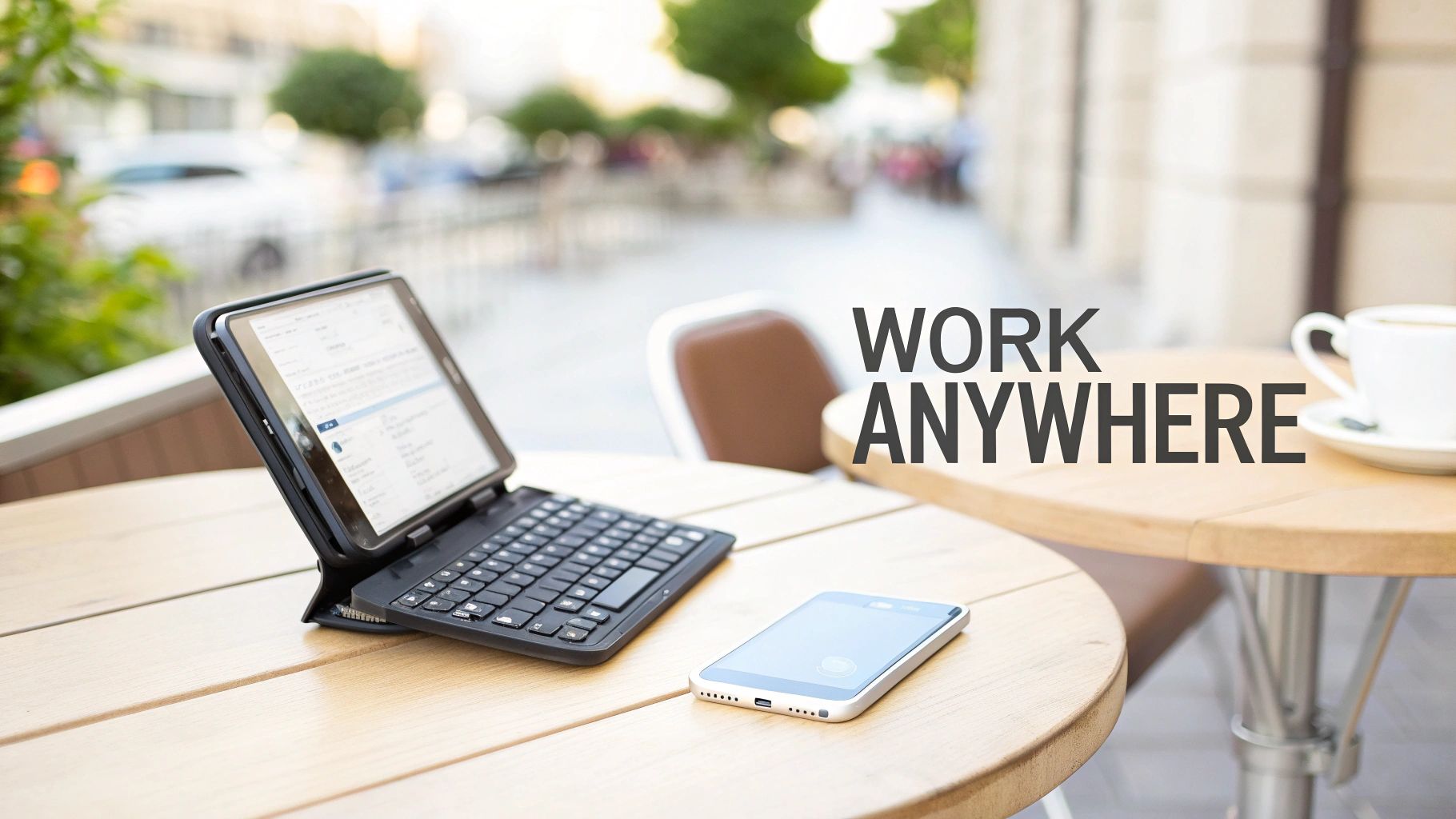
A foldable phone is a marvel of engineering, but trying to get serious work done on its touchscreen can feel like running a marathon in flip-flops. The real magic happens when you pair that big, beautiful screen with the satisfying, tactile feedback of a physical keyboard.
Folding Bluetooth keyboards perfectly bridge that gap between portability and performance. They offer a real solution to the clumsy nature of virtual keys, giving you the speed and accuracy you need for serious tasks. It’s a simple accessory that elevates your device from a media viewer to a genuine creation tool.
The Rise of Portable Peripherals
The idea of a portable keyboard isn't new, but today's versions are tailor-made for our increasingly mobile lives. Demand for these gadgets has exploded alongside the popularity of tablets, powerful smartphones, and the freedom of remote work. What was once a niche item is now a must-have for any serious mobile office setup.
The market numbers tell the same story. A recent analysis projects the foldable keyboard market will hit USD 3.5 billion by 2033, growing at a steady 9.8% each year. This isn't just a fleeting trend; it’s a clear signal of how we work and what we expect from our tech. You can learn more about these market dynamics in this detailed report.
By combining the large screen of a foldable phone with the tactile precision of a folding keyboard, you create a setup that rivals a traditional laptop in functionality but fits comfortably in your bag.
This guide will walk you through everything you need to know to make the right choice. From understanding the key features to seeing them in action, you'll discover how to build the ultimate mobile workstation. For a deeper dive into what's possible, check out our 2025 mobile office review for top productivity setups.
Why Your Foldable Phone Needs a Physical Keyboard
That beautiful, massive screen on your foldable phone is a marvel for watching movies or multitasking. But let's be honest—when it comes to serious typing, it hits a wall. Tapping out a quick text message is fine, but trying to draft a detailed report or a long email on a flat sheet of glass? That's a different story. The on-screen keyboard quickly becomes the biggest bottleneck, turning a powerhouse device into a source of finger-fumbling frustration.
It’s like trying to paint a masterpiece with a garden rake. The tool just isn't built for the job. You get more typos, your speed plummets, and the whole experience feels clumsy because there's no physical feedback. A folding Bluetooth keyboard completely solves this. It brings back that satisfying, tactile sensation of real keys, making every keystroke feel deliberate and accurate.
Beyond Convenience to Genuine Productivity
This isn't just about comfort; it's about unlocking what your phone was truly capable of all along. Suddenly, you can get real work done, anywhere.
Think about these scenarios:
- The Mobile Professional: A consultant sits down in a coffee shop between meetings and types out a full client proposal. No compromises, no awkward thumb-typing—just full-speed, professional work.
- The Diligent Student: In a packed lecture hall, a student takes comprehensive notes in real-time, easily keeping up with the professor without the lag of a touchscreen.
- The Remote Worker: Stuck in an airport lounge, a project manager creates a legitimate workstation, firing off emails and updating tasks as efficiently as if they were at their desk.
In every case, the keyboard transforms the foldable phone from a device for consuming content into a powerful tool for creating it. For anyone who depends on their phone for serious work, that shift is everything.
The core benefit is simple: a folding keyboard allows your typing speed and accuracy to finally catch up with the processing power of your phone. It removes the single biggest obstacle to mobile productivity.
A Tangible Boost in Efficiency
The ergonomic benefits are just as important. Hunching over your phone to thumb-type for long stretches is a recipe for hand, wrist, and neck strain. A separate keyboard encourages a healthier posture. You can set your screen at a comfortable viewing distance while your hands rest naturally on a proper typing surface.
This simple separation of screen and input is the foundation of any good workstation. By adding a folding Bluetooth keyboard, you're not just buying another accessory. You're investing in a more comfortable, efficient, and powerful way to work from absolutely anywhere. It finally unleashes the true multitasking potential your foldable phone has been waiting for.
How to Choose the Perfect Folding Keyboard
Picking the right folding Bluetooth keyboard isn't about grabbing the first one you see online. It’s about finding a true partner for your foldable phone, something that makes your mobile setup feel complete. Think of it like buying a good pair of shoes—the wrong fit makes every step a chore, but the right one makes you feel like you can conquer anything. This guide will walk you through what really matters, so you can build a mental checklist for your perfect keyboard.
We're going to move past the marketing fluff and get into what makes a keyboard genuinely useful day-to-day. We’ll look at the trade-offs between a super-compact size and actual typing comfort, why durable materials are non-negotiable, and what battery life means in the real world. By the end, you'll know exactly what to look for.
This little decision tree can help you pinpoint your main reason for wanting a physical keyboard in the first place.
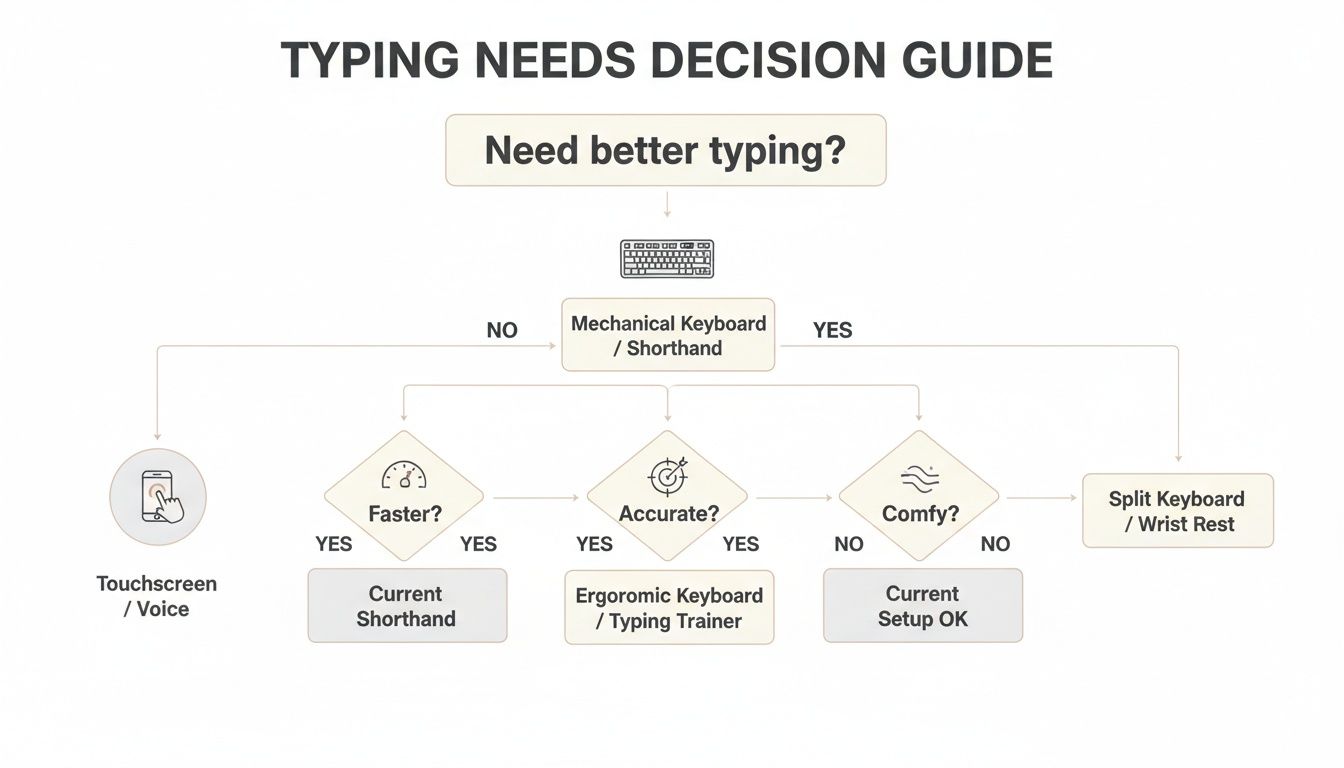
As you can see, it usually boils down to wanting more speed, better accuracy, or just a more comfortable experience than you get tapping on glass.
To make things even clearer, here’s a quick-reference table that breaks down the most important features to consider.
Folding Keyboard Feature Comparison
Use this quick reference table to compare the features that matter most when choosing your folding Bluetooth keyboard.
| Feature | What to Look For | Why It Matters for Foldable Phone Users |
|---|---|---|
| Size & Portability | Bi-fold (thinner, wider) or Tri-fold (thicker, more compact). Look for "pocketable" models under 200g. | It needs to be small enough that you'll actually carry it. A tri-fold is great for pockets, while a bi-fold might fit better in a slim bag. |
| Keyboard Layout | Near-standard key placement, especially for Shift, Backspace, and Enter. Avoid unusually small or relocated keys. | Your muscle memory is everything for typing speed. A familiar layout means you can start typing quickly without a frustrating learning curve. |
| Typing Feel | Key travel distance of 1.3mm to 1.5mm. Satisfying tactile feedback without feeling "mushy." | This is the difference between a keyboard that feels responsive and one that feels cheap. Good key travel improves accuracy and comfort. |
| Build & Hinge | Aluminum or metal hinges and casing. Avoid all-plastic designs where possible. | The hinges are the heart of the keyboard. Metal ones will survive thousands of folds, while plastic ones are a common point of failure. |
| Battery & Charging | 40-80 hours of typing time. Absolutely must have USB-C charging. | Long battery life means less hassle, and USB-C means you can charge your phone and keyboard with the same cable. One less thing to carry! |
Now, let's dive a little deeper into each of these crucial areas.
Size and Portability
Your first big decision is the form factor. The way a keyboard folds determines its size when packed away and its usability when opened up. The right choice here comes down to where you're going and what you're carrying.
You’ll generally find two main designs:
- Bi-fold Keyboards: These fold right down the middle, like a book. They end up being thinner and wider when closed, but the payoff is a seamless, traditional keyboard layout with no weird gaps.
- Tri-fold Keyboards: These fold into thirds, creating a seriously compact, pocket-friendly brick. The downside is that the extra hinges can create awkward splits in the key layout that take some getting used to.
At the end of the day, a keyboard is only useful if you have it with you. Keep an eye out for models described as "pocketable," which usually means they aren't much wider than your smartphone when folded up. Some are so light, weighing as little as 200 grams (about 7 ounces), that you'll barely notice them in your bag.
Keyboard Layout and Typing Feel
A portable keyboard is completely useless if typing on it is a nightmare. The two things that make or break the experience are key size and key travel.
A keyboard with a near-standard layout means you don’t have to relearn how to type. Your muscle memory works for you, not against you, leading to faster and more accurate typing from day one.
Look for a layout that’s as close as possible to the laptop you're used to. Pay special attention to the big-three keys: Backspace, Shift, and Enter. Some ultra-compact keyboards shrink these down or shove them in odd places, which will absolutely tank your typing speed. Key travel—the distance a key actually presses down—is just as important. A travel distance between 1.3mm to 1.5mm provides that satisfying tactile "click" without feeling mushy or cheap.
Build Quality and Durability
A folding keyboard lives and dies by its hinges. This is one area where you should never, ever compromise. Models with aluminum or other metal hinges are dramatically more durable than plastic ones. They’re built to withstand thousands of opening and closing cycles without breaking, making sure your investment actually lasts.
The keyboard's body matters, too. An aluminum casing doesn't just feel more premium; it adds some much-needed rigidity, so the keyboard won't flex or creak while you're typing. Plastic is lighter, of course, but often feels flimsy. For a full breakdown of how to pair your keyboard with a great protective setup, check out our guide on the best Z Fold keyboard case options.
Battery Life and Charging
Thankfully, modern folding Bluetooth keyboards are incredibly power-efficient. Most will give you between 40 to 80 hours of continuous typing from a single charge. In the real world, this means you could go for weeks—or even months—between charges, depending on how much you use it.
There's one feature that's an absolute must-have today: USB-C charging. This is a non-negotiable. It means you can use the exact same cable that charges your phone to juice up your keyboard. It simplifies your travel kit down to one charger and one cable, a small detail that makes a world of difference in daily convenience.
Mastering Your Keyboard Setup and Connectivity
Unboxing a new folding Bluetooth keyboard is always exciting. That feeling can fade fast, though, if getting it paired with your phone turns into a headache. The good news is that connecting it to a foldable like a Samsung Galaxy Z Fold or Google Pixel Fold is surprisingly simple.
Think of it like introducing two new friends. Once they meet, they'll recognize each other and connect automatically every time. All it takes is a quick, one-time setup to get them acquainted.
Pairing with Your Android Foldable
Let’s walk through the exact steps for most Android devices. This will get you set up and typing in just a minute or two.
-
Activate Pairing Mode: First, unfold your keyboard. Look for a specific key or button combo, often
Fn + Cor a key with the Bluetooth symbol. Press and hold it until you see a small indicator light start blinking. That blinking light means the keyboard is ready to be discovered. - Open Phone Settings: On your foldable, swipe down from the top to open the Quick Settings panel, then press and hold the Bluetooth icon to jump right into the menu.
- Scan for Devices: In the Bluetooth menu, tap "Scan" or "Pair new device." Your phone will start looking for anything nearby that’s ready to connect.
- Select and Connect: Your folding keyboard should pop up in the list of available devices. Just tap its name. Sometimes you might need to confirm a pairing code, but most modern keyboards connect automatically.
Once paired, your phone will remember the keyboard. From now on, it will reconnect automatically whenever the keyboard is turned on and within range. It’s this seamless connection that makes folding Bluetooth keyboards so perfect for working on the go.
Switching Between Multiple Devices
One of the best features you'll find on many modern keyboards is multi-device connectivity. This lets you pair the same keyboard with your foldable phone, a tablet, and maybe even a laptop, then jump between them with a single keypress. Most keyboards that have this feature include dedicated keys (usually labeled BT1, BT2, BT3) for each device.
Imagine typing a long email on your Galaxy Z Fold. Then, you press the BT2 key to instantly switch over and type a quick message on your tablet. This turns a single keyboard into a central hub for all your gadgets, making your workflow incredibly fluid and efficient.
A keyboard that can seamlessly switch between your phone and tablet eliminates the need to re-pair devices or carry multiple keyboards, streamlining your mobile workstation and saving valuable time.
Understanding and Avoiding Input Lag
Few things are more distracting than typing on a keyboard only to see the words appear on your screen a second later. This delay, known as input lag or latency, can completely wreck your typing rhythm. More often than not, the culprit is an old or weak Bluetooth connection.
To prevent this, make sure you choose a folding Bluetooth keyboard that supports a modern standard like Bluetooth 5.0 or higher. Newer versions of Bluetooth offer much faster data transfer and more stable connections, which cuts latency down to almost nothing. A responsive keyboard with a modern Bluetooth chip ensures your keystrokes appear instantly, giving you the smooth, real-time feedback you need to stay productive.
Real-World Scenarios for Maximum Productivity
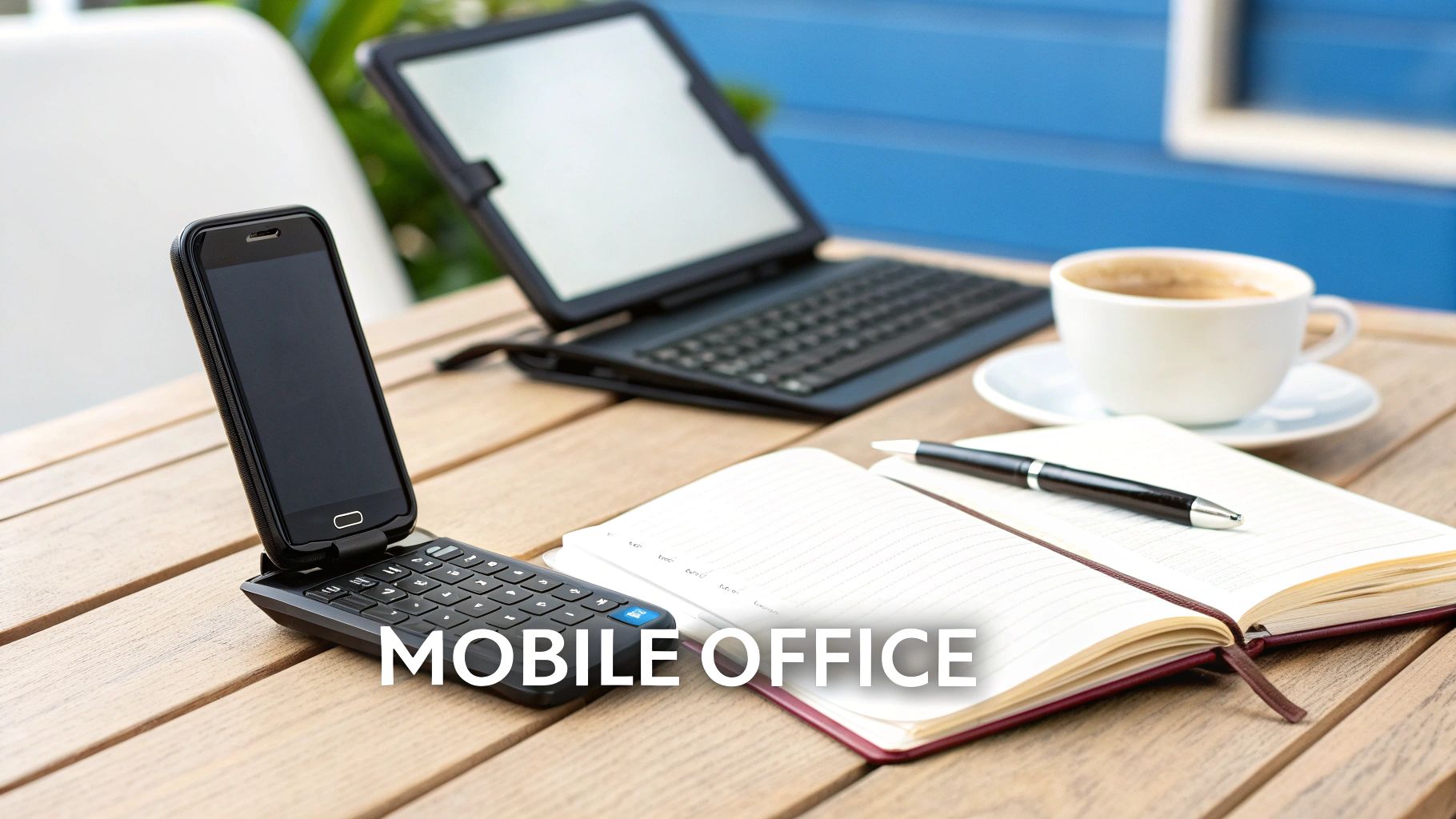
A folding Bluetooth keyboard stops being a neat gadget and becomes an essential tool the moment you see it in action. Its real value shines in those moments when a laptop is just too much, but your phone's touchscreen is way too slow. Pair one with your foldable phone, and you’ve suddenly got a legit workstation that fits in your jacket pocket.
Let's walk through a few situations where this combo truly changes the game, transforming how you work, study, and create on the go. These are the moments that make a portable keyboard an indispensable part of your daily carry.
The Mobile Office Reimagined
Picture this: you're at a coffee shop between meetings. An urgent, detailed email lands in your inbox requiring a long, thoughtful response. Instead of fumbling with the tiny on-screen keys, you just unfold your phone and keyboard.
In seconds, you have a mini-workstation ready for serious work. You can draft documents, wrangle spreadsheets, or jump into team chats with the same speed and comfort you'd expect from a laptop. This setup empowers you to grab those small pockets of time and turn them into genuinely productive sessions, no matter where you are.
The Digital Nomad's Lightweight Setup
For digital nomads and frequent flyers, every ounce in the backpack counts. Lugging a heavy laptop around is a real drag, but getting work done is non-negotiable. A folding Bluetooth keyboard is the perfect solution.
It gives you a full-size typing experience without the weight and bulk of a laptop. You can set up your office from a hostel in Bali, an airport lounge in London, or a co-working space anywhere in between. This minimalist approach lets you stay incredibly efficient while embracing a truly mobile and lightweight lifestyle.
By combining your foldable phone with a portable keyboard, you build a powerful, go-anywhere productivity hub. It’s a setup ready for any task you throw at it, making you adaptable and efficient.
The Student's Secret Weapon
Lecture halls and libraries are where a folding keyboard really proves its worth. Trying to take notes on a touchscreen is slow and usually results in more typos than actual information. A physical keyboard lets you keep up with fast-talking professors, capturing every detail with precision.
The setup is also perfect for research papers and essays. You can have your sources open on one half of your foldable's screen while you type your draft on the other. It's a focused, portable study station that actually helps you learn without weighing down your backpack.
Protecting Your Complete Mobile Workstation
A slick mobile setup is only as good as its protection. Your folding Bluetooth keyboard and foldable phone are a fantastic pair, but that dynamic duo is worthless if one of them takes a hard knock. True on-the-go productivity isn't just about having the right gear; it’s about the peace of mind that your expensive tools are actually safe.
This is where a high-quality protective case becomes non-negotiable. For any foldable phone, the hinge is its most complex—and most vulnerable—part. A single drop without the right case can easily lead to a disastrous and eye-wateringly expensive repair bill. Pairing your portable keyboard with a case that offers robust hinge coverage is the single most important step you can take.
Building a Practical Ecosystem
Creating a seamless mobile office is about more than just syncing devices over Bluetooth. It's about building a practical, real-world ecosystem. The goal is a setup that’s as easy to carry as it is powerful to use.
That means finding a keyboard slim enough to slide into your bag without adding a ton of bulk. It also means choosing a case that actually enhances how you use your phone. Many modern cases integrate features like a built-in kickstand, which is perfect for propping up your screen at just the right angle for typing.
A truly effective mobile workstation is a balanced system. The portability of your keyboard should never come at the cost of your phone's safety. Prioritize a durable, hinge-protecting case as the foundation of your setup.
Ultimately, the best setup is one you can trust. By carefully selecting a durable case that complements your folding Bluetooth keyboard, you’re not just protecting a device—you’re securing your investment in mobile productivity. To really understand why this is so critical, you can learn more about why a foldable phone needs foldable protection in our detailed guide. It's the final piece of the puzzle for a truly worry-free mobile office.
Still Have Questions? Let's Clear Things Up
Jumping into the world of folding keyboards can bring up a few last-minute questions. It's totally normal. Here are some straightforward answers to the most common things people ask, so you can feel confident you're making the right call.
Are Folding Keyboards Compatible with All Phones?
Yes, for the most part. Pretty much every folding Bluetooth keyboard on the market uses standard tech that works with any modern foldable phone. Whether you have a Samsung Galaxy Z Fold, a Z Flip, or a Google Pixel Fold, they all speak Bluetooth, so pairing is a breeze. The Android OS is built to handle external keyboards for typing, navigating, and even shortcuts.
Think of Bluetooth as a universal language. As long as both your phone and the keyboard speak it—which they do—they can communicate perfectly without needing any special software or adapters.
How Durable Are the Hinges on a Folding Keyboard?
This is a big one, and the honest answer is: it depends on the quality. You get what you pay for. Premium keyboards almost always use tough metal hinges, usually aluminum, that have been tested for tens of thousands of folds. For daily use, these are incredibly reliable.
On the other hand, cheaper models might cut corners with plastic hinges. These are just more likely to wear down over time. Before you buy, always dig into user reviews and see what people are saying specifically about the hinge strength and overall build. That's the best way to make sure you're getting something that will last.
Will a Bluetooth Keyboard Drain My Phone Battery?
Not really. A Bluetooth keyboard sips an incredibly tiny, almost unnoticeable amount of your phone's battery. Modern standards like Bluetooth 5.0 are extremely energy-efficient, so the power draw is minimal.
Plus, the keyboard has its own rechargeable battery—it doesn't pull power from your phone. You can type for hours on end without ever seeing a meaningful drop in your phone's battery life.
Ready to turn your foldable phone into a true productivity machine? Check out the complete collection of premium cases and accessories at FoldifyCase and start building your perfect mobile setup today. You can find your ideal gear at https://www.foldifycase.com.
Shop FoldifyCase foldable phone cases
Precision cases for Galaxy Z Fold & Z Flip — full MagSafe, S-Pen ready, zero bulk.