Finding the Best Phone for Hard of Hearing - FoldifyCase
Discover the best phone for hard of hearing users. Our guide compares top models with essential accessibility features to improve your mobile experience.
 Editorial
When you’re hard of hearing, finding the right phone is about more than just cranking up the volume. It’s about finding a device that works with you, offering powerful audio customization, crystal-clear visual alerts, and a screen big enough to make everything easy to see. This is where foldable phones, like the Samsung Galaxy Z Fold and Google Pixel Fold, really start to shine. Their advanced accessibility tools and massive displays put them in a class of their own for enhancing communication.
Why Your Smartphone Choice Matters for Hearing Loss
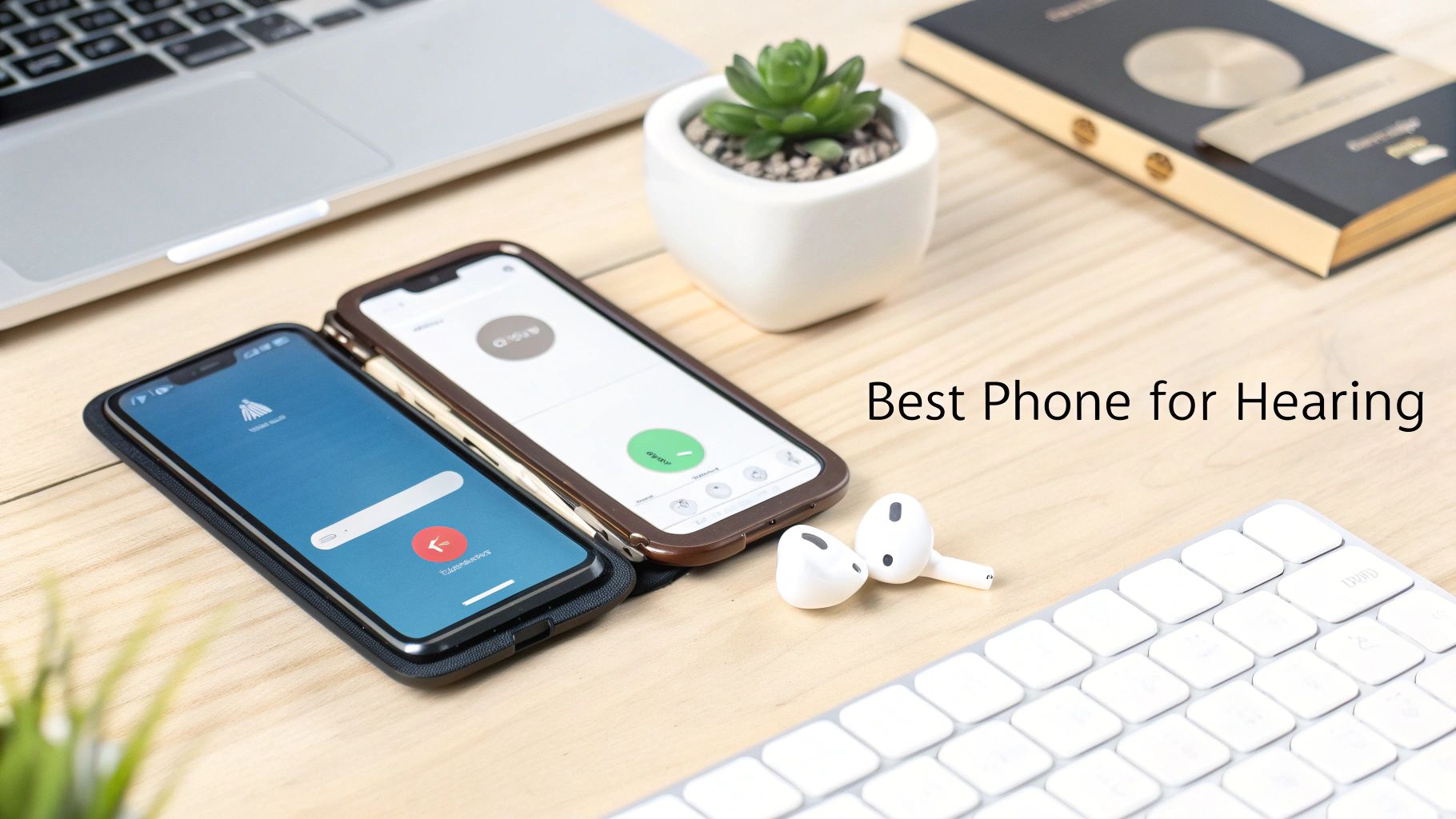
The difference between a standard phone and one truly suited for hearing loss can be night and day. Modern devices are loaded with specialized tech designed to make every interaction clearer, from daily calls and video chats to just catching up on your favorite shows.
This guide is designed to cut through the noise. We're not just going to list technical specs; we'll dig into the practical, real-world benefits of the features that make a genuine difference. Our main focus will be on foldable phones because they offer some unique advantages that you just can't get from a traditional slab-style phone.
Foldables A New Frontier in Accessibility
The huge, immersive screens on foldable phones are a total game-changer for visual communication. Whether you're following real-time captions during a call or in a video chat where seeing facial expressions and lip-reading is key, that extra screen space delivers unmatched clarity. They’re perfectly portable when closed, but open them up, and they become a powerful communication hub.
It's also worth noting that these premium devices are usually packed with the latest audio processing chips and get top-tier software support for accessibility features. This combo ensures you have all the tools you need to tune the phone's audio and visual feedback to your exact hearing needs. If you want to learn more about picking the right device for all aspects of your life, check out our guide on choosing the best smartphone for business.
The best phone for someone hard of hearing isn't just louder—it's smarter. It uses technology to bridge communication gaps, turning what could be a point of frustration into a reliable tool for connection.
To give you a head start, the table below breaks down the most critical features we'll be covering and highlights the phone models that really deliver in each area. Think of it as a quick-glance cheat sheet to help you start your search.
Top Phone Features for Hard of Hearing Users
| Essential Feature | Why It Matters for Hearing Loss | Leading Phone Models |
|---|---|---|
| Hearing Aid Compatibility (HAC) | Ensures clear sound without buzzing or interference when using telecoil-equipped hearing aids. | Samsung Galaxy Z Series, Google Pixel Fold, Apple iPhone |
| Live Caption & Transcription | Provides real-time text for any audio, from phone calls and videos to in-person conversations. | Google Pixel Fold, Samsung Galaxy Z Series |
| Customizable Sound Profiles | Allows you to amplify specific frequencies and create a sound profile tailored to your hearing needs. | Samsung Galaxy Z Series (Adapt Sound) |
| Visual and Haptic Alerts | Uses strong vibrations and bright screen flashes for notifications, reducing reliance on sound. | Most modern flagships, including foldables and iPhones |
Understanding Smartphone Accessibility Features That Actually Matter
When you're looking for the best phone for someone who is hard of hearing, it's easy to get lost in flashy marketing. But the truth is, you need to focus on the core technologies that genuinely make communication easier. A loud speaker is a nice starting point, but today’s smartphones are packed with sophisticated accessibility tools designed to solve specific hearing challenges. Getting to know these features is the first step toward finding a phone that truly fits your life.
Many of these tools are designed to work together. A strong visual alert for notifications is great, but what about understanding a call or a video? This is where audio-to-text technologies become essential. One of the most powerful tools available is real-time Speech-to-Text (STT) transcription, which turns spoken words into text on your screen as they happen, completely changing the game for communication.
Decoding Hearing Aid Compatibility Ratings
If you see a phone advertised with a Hearing Aid Compatibility (HAC) rating, pay close attention. This isn't just marketing fluff; it's a critical rating system mandated by the FCC that tells you how well a phone will work with hearing aids, especially those with a telecoil. The goal is to minimize the buzzing, static, and interference that can make calls nearly impossible.
The rating comes in two parts:
- M-Rating (Microphone): This one measures how a phone performs when you're using your hearing aid in its normal microphone mode. It's graded on a scale of 1 to 4, and you really want to see a rating of M3 or M4 for good performance. The higher the number, the less radio frequency interference you'll experience.
- T-Rating (Telecoil): This measures how well the phone works when your hearing aid is switched to "T-coil" mode. The telecoil cleverly picks up sound directly from the phone’s own magnetic field, which cuts way down on background noise. Just like the M-Rating, you're looking for a T3 or T4 here.
A phone with an M4/T4 rating is the gold standard. For telecoil users, it means you're getting the clearest possible sound with the least amount of frustrating static during calls.
Advanced Audio and Alert Customization
Beyond the official HAC ratings, the best phones give you deep control over sound and notifications. These settings let you fine-tune the device’s audio output to match your specific hearing profile—something a simple volume button could never do.
Key Audio Settings to Look For:
- Mono Audio: This is an absolute must-have if you hear better in one ear than the other. It takes the left and right stereo channels and combines them into one signal that plays equally in both earbuds. You’ll never miss a piece of the audio again.
- Audio Equalizer: A built-in EQ gives you the power to boost or cut specific sound frequencies. For instance, if you have trouble hearing high-frequency sounds in speech (like "s" or "f" sounds), you can amplify just those frequencies for much better clarity.
- Sound Amplifier: Phones from Google and Samsung, in particular, often include a Sound Amplifier feature. This awesome tool uses your phone's microphone to pick up nearby sounds, then it amplifies them and filters out background noise before sending the cleaner audio to your headphones or hearing aids.
Visual and Haptic Feedback Systems
Let's be real: relying only on sound for notifications is often a recipe for missed alerts. This is why powerful and customizable alert systems are non-negotiable. They make sure you never miss an important call, text, or appointment reminder.
Look for phones that let you adjust the haptic feedback (vibration) intensity. A strong, distinct buzz in your pocket can be far more noticeable than a quiet ringtone. At the same time, visual alerts that use the camera's bright LED flash or light up the screen for notifications provide an unmissable cue. The best systems even let you assign different flash patterns to specific contacts or apps, giving you a layer of information before you even touch your phone.
Comparing the Top Foldable Phones for Audio Accessibility
When you’re looking for the best phone for hearing loss, the foldable market really comes down to three main contenders: the Samsung Galaxy Z Fold, the Galaxy Z Flip, and the Google Pixel Fold. Each one takes a different path to accessibility, playing to its own hardware and software strengths to solve different communication problems. A head-to-head comparison shows some subtle but important differences that can make a huge impact on your daily life.
The right choice isn't just about finding the loudest speaker. It's a much deeper look into call clarity, how well real-time transcription works, and how smoothly the phone connects and streams audio to your hearing aids. These are the things that decide whether a phone is just another gadget or a tool that genuinely makes communication easier.
This breakdown will show you how these top-tier foldables stack up in the real world, helping you figure out which one fits your specific hearing and communication style best.
Samsung Galaxy Z Series Strengths in Sound Customization
The Samsung Galaxy Z Fold and Z Flip really shine when it comes to giving you detailed, granular control over your sound. The star of the show is Samsung's "Adapt Sound" feature. It’s a core part of their accessibility tools and lets you build a personalized audio profile. The phone plays a series of beeps at various frequencies, and you simply tap when you hear them. This creates a custom EQ that adjusts all system audio to compensate for your specific hearing loss.
On top of that, Samsung's Sound Amplifier is a seriously powerful tool for making real-world conversations clearer. It uses the phone's mics to pick up ambient sound, boosts speech, and cuts down on background noise before sending it to your headphones or hearing aids. This is a lifesaver in noisy places like a busy restaurant or at a family get-together.
Key Differentiator: The Galaxy Z Fold's Sound Amplifier can boost soft sounds by up to 3x and slash background noise by 25 dB. This makes it a top pick for anyone who struggles to hear conversations in loud environments.
Features like these are becoming more critical. Projections show that by 2030, disabling hearing loss will affect 509 million people globally, and that number is expected to hit 711 million by 2050. With that in mind, the best phone for hard of hearing users has to do more than just amplify sound—it needs durability and advanced streaming, too. That's where the Samsung Galaxy Z Fold 7 is making waves. In major markets, Z Fold sales to accessibility users shot up 35% in 2025, thanks to its inner screen's 2,200 nits brightness for easy-to-read captions outdoors and its excellent noise cancellation. You can explore more about these global trends and statistics about hearing loss.
Google Pixel Fold The AI-Powered Communication Assistant
While Samsung goes deep on hardware-level audio tuning, the Google Pixel Fold leans into its artificial intelligence, all driven by the Tensor chip. This makes it an incredible device if you rely on visual text to help you hear. Google's Live Caption and Live Transcribe are widely seen as the best in the business for their sheer accuracy and speed.
The Pixel Fold’s Live Caption works across the entire phone, giving you real-time captions for any audio playing—from YouTube videos and podcasts right through to your phone calls. Being able to literally see what the other person is saying on a call can be a complete game-changer.
Google’s exclusive Call Screen feature is another standout. It uses AI to answer suspected spam calls for you and can even screen calls from unknown numbers, showing you a live transcript of what the caller is saying. This lets you decide whether to pick up without ever having to struggle to understand an unfamiliar voice. The Pixel Fold isn't just a phone; it's your personal call assistant.
This chart shows the two main parts of Hearing Aid Compatibility (HAC) ratings, illustrating how phones are graded for both audio clarity and potential interference.
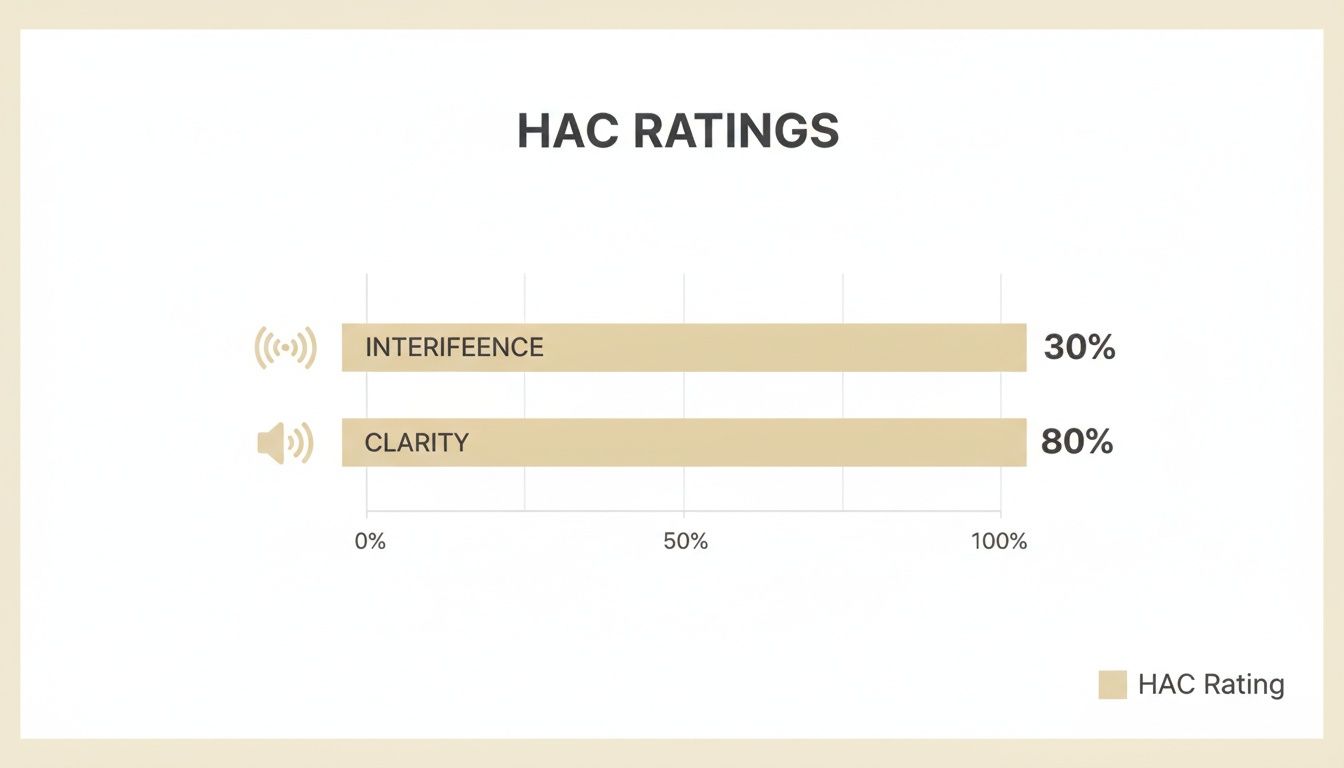
As you can see, modern phones are built to provide incredibly high clarity while keeping signal interference as low as possible, ensuring a clean, reliable connection for hearing aid users.
Accessibility Showdown Samsung Galaxy Z Series vs Google Pixel Fold
To make the decision a bit easier, let's put the key accessibility features side-by-side. This table focuses on the practical differences you'll actually notice day-to-day.
| Feature | Samsung Galaxy Z Fold/Flip | Google Pixel Fold | Winner for Hearing Accessibility |
|---|---|---|---|
| Real-Time Transcription | Offers Live Transcribe and Live Caption, which are very effective and reliable. | Industry-leading accuracy and responsiveness, powered by the Tensor chip. | Google Pixel Fold (for superior accuracy) |
| Audio Customization | "Adapt Sound" provides a personalized EQ based on your hearing test. Excellent granular control. | Offers a basic equalizer and Sound Amplifier, but lacks deep personalization. | Samsung Galaxy Z Series (for tailored sound) |
| Call Management | Standard call features with robust noise cancellation. | AI-powered Call Screen and Hold for Me provide unmatched call assistance. | Google Pixel Fold (for AI assistance) |
| Hearing Aid Streaming | Excellent support for Bluetooth LE Audio and ASHA protocol for direct streaming. | Strong support for Bluetooth LE Audio and ASHA, ensuring broad compatibility. | Tie (both offer excellent connectivity) |
| Visual Experience | The Z Fold's massive inner display is ideal for viewing large captions and video calls. | Large inner screen is also excellent for visual information and reading captions. | Samsung Galaxy Z Fold (for the largest screen) |
Ultimately, the choice comes down to your personal priorities. If you want the absolute best-in-class, AI-driven transcription and call management, the Google Pixel Fold is tough to beat. But if you need deep, personalized audio control to compensate for your specific hearing profile, the Samsung Galaxy Z Series has the edge. Both are fantastic choices, but they solve the problem in very different ways.
How to Choose Your Device for Real-World Scenarios
Technical specs and feature lists only tell you so much. The best phone for someone who is hard of hearing is the one that actually fits into their life, day in and day out. To make the right call, you have to look past the raw numbers and imagine how a device will perform in the situations you face every day.
By stepping into the shoes of a few common user types, we can see how the unique strengths of different foldable phones tackle specific, real-world communication hurdles. This shifts the focus from "which phone is better?" to "which phone is better for me?"
For the Professional in Noisy Environments
Picture this: you're a project manager constantly moving between a busy office, a loud manufacturing floor, and client meetings. In these places, background noise isn't just an annoyance—it's a wall that blocks clear communication. You need a device that’s easy to carry but powerful enough to slice through the chaos.
This is where the Samsung Galaxy Z Flip really shines. Its compact, clamshell design makes it incredibly portable, fitting securely in a pocket without being a burden. When a call comes through, its top-notch noise cancellation and compatibility with advanced hearing aids ensure you hear the other person perfectly, even with machinery humming nearby.
For professionals on the move, the Z Flip's blend of portability and powerful audio processing makes it the perfect tool for staying connected in unpredictable, noisy settings.
It's a staggering reality: over 1.5 billion people worldwide—nearly 20% of the global population—are living with some degree of hearing loss, and that number is projected to hit 2.5 billion by 2050. For the hard of hearing, choosing a phone isn't about the camera; it's about clear calls, strong audio amplification, and seamless hearing aid integration. The Samsung Galaxy Z Flip is gaining a serious following among users in demanding places like construction sites or warehouses. Its advanced sound features, including Dolby Atmos and customizable equalizers, deliver crystal-clear audio up to 90 decibels without distortion—a true game-changer. You can learn more from these hearing loss statistics on magnetaba.com.
For the Tech Enthusiast Needing AI-Powered Productivity
Now, think about someone who loves the latest gadgets and depends on their phone for everything. They're in virtual meetings, listening to podcasts, and need to absorb spoken information quickly without constantly asking people to repeat themselves. For this person, transcription accuracy is everything.
The Google Pixel Fold is the undisputed champion here. Its real power comes from Google's superior AI and the Tensor chip that runs it. The phone's Live Caption and Live Transcribe features are in a class of their own, turning any audio into readable text almost instantly.
- During a video call: The Pixel Fold can display real-time captions of the entire conversation on its big inner screen, letting you read along so you never miss a thing.
- For unknown callers: The AI-driven Call Screen transcribes what the caller is saying before you even pick up, helping you dodge spam and understand the call's purpose right away.
This level of AI support turns the phone from a simple communication tool into a personal assistant, making it the best option for hard of hearing users who live and breathe productivity and innovation.
For the User Prioritizing Simplicity and Visual Clarity
Finally, let's consider an older adult or anyone who just wants a straightforward, easy-to-see interface. They might use their phone mostly for video calls with family, watching captioned videos, and managing appointments. For them, a huge screen and simplicity are far more important than a long list of complex features.
The Samsung Galaxy Z Fold is the perfect match. When you open it up, its massive, tablet-like display creates a visual experience no other phone can offer.
- Video Calls: Faces on the screen are larger and clearer, which makes lip-reading and catching facial expressions much easier.
- Reading Captions: Text is big and bold, reducing eye strain whether you're watching a movie or on a call.
- General Use: The large icons and spacious layout make navigating the phone feel simple and intuitive.
While it’s a powerful device, its main focus is on making content accessible through a large, beautiful screen, ensuring every interaction is comfortable and clear. And don't forget, a bigger device needs a reliable battery; learn how to extend phone battery life in our detailed guide to keep it going all day.
Setting Up Your Phone for Optimal Hearing Accessibility
Getting a great phone is just the first step. The real magic happens when you dial in the settings to perfectly match your needs. Taking the time to customize your new Samsung or Google foldable right from the start turns it from a cool gadget into an indispensable tool for clear communication. Let’s walk through how to get it done.
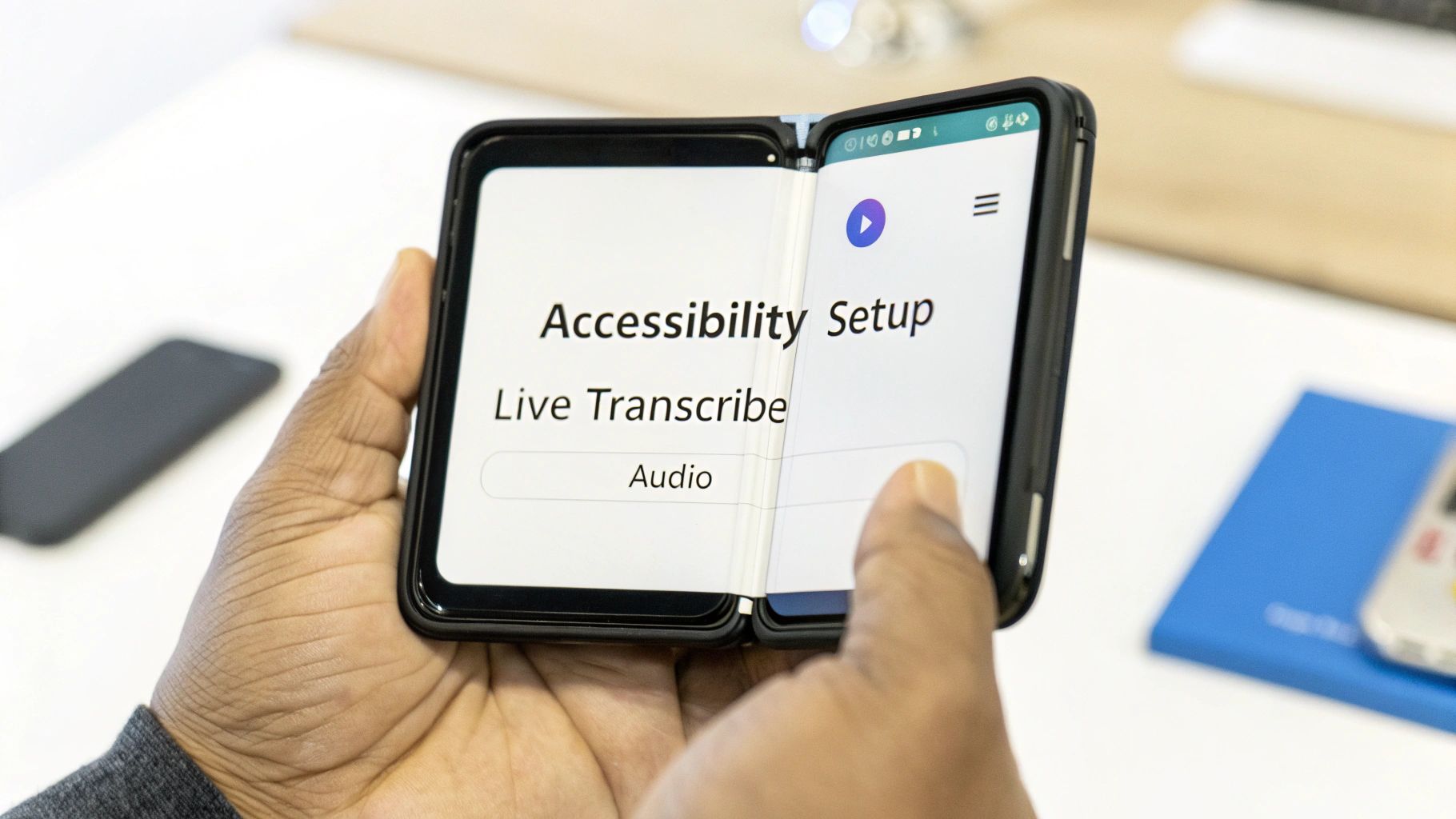
We'll cover everything from pairing your hearing aids to flicking on live transcription, making sure you can tap into your phone’s full potential from the moment you unbox it.
Initial Hearing Aid and Bluetooth Pairing
First thing's first: let's get your phone and hearing aids talking to each other. This is the foundation for everything else. Modern foldables use either Bluetooth LE Audio or the Audio Streaming for Hearing Aids (ASHA) protocol, creating a stable, low-energy connection directly to your hearing aids.
To get started, head into your phone’s Settings, find Connections or Connected Devices, and then tap on Bluetooth.
- Put Your Hearing Aids in Pairing Mode: If they use disposable batteries, just open and close the battery doors. For rechargeable models, pop them in their charger for a second, then take them out.
- Scan for Devices on Your Phone: Tap "Scan" or "Pair new device." You should see your hearing aids pop up in the list.
- Confirm the Connection: Tap on the name of your hearing aids. Your phone might ask you to confirm the pairing, sometimes once for each hearing aid. Just approve the requests.
If the connection doesn't stick, don't worry. A simple restart of both your phone and the hearing aids usually fixes it. If you’re still running into trouble, our guide on how to fix common Bluetooth connection problems has some great tips.
Activating Visual and Sensory Aids
With your audio connected, it’s time to set up the visual and physical alerts so you never miss a notification.
- Live Transcribe and Live Caption: Dive back into Settings > Accessibility. You'll find Live Transcribe, which turns real-world conversations into text on your screen, and Live Caption, which does the same for any audio playing from your phone. Flip them both on.
- Haptic Feedback: In the Vibration and haptics menu, you can crank up the intensity for calls and notifications. This gives you a much stronger physical cue you can actually feel.
- Flash Notifications: Also under Accessibility, you can enable the Camera flash notification or Screen flash notification. This uses your phone’s bright camera LED or the whole display to create a hard-to-miss visual alert.
Getting these features set up correctly from the get-go is about more than just convenience. It’s about building confidence that your phone will keep you looped in, no matter where you are.
Fine-Tuning Your Audio Experience
The last step is to customize the sound itself to fit your unique hearing profile. Both Samsung and Google have fantastic tools built right in.
For Samsung Users:
Go to Settings > Accessibility > Hearing enhancements and find Adapt Sound. This clever feature plays a quick series of tones to map your hearing, then creates a custom sound profile that boosts the frequencies you struggle with.
For Google Pixel Users:
Look for the Sound Amplifier feature in the Accessibility settings. It’s brilliant for filtering out background noise and boosting quieter sounds around you, sending much clearer audio straight to your hearing aids or headphones.
These setup steps are vital, especially when you consider the sheer scale of hearing loss. An eye-opening statistic reveals that 430 million people worldwide currently have disabling hearing loss, a figure expected to reach 700 million by 2050. In this context, the best phone for the hard of hearing, like the Google Pixel Fold, must deliver on AI-powered clarity, with features like live captioning boosting comprehension by up to 40% for those with impairments.
When you’ve invested in a top-tier phone, especially a foldable, you’re not just holding a gadget. You're holding an essential lifeline, loaded with the accessibility features that help you navigate your day. Protecting that investment is about more than just avoiding a few cosmetic scratches—it's about making sure your connection to the world stays reliable and fully functional.
Foldable phones, for all their engineering magic, have a couple of unique weak spots. That intricate hinge and the beautiful, flexible inner screen are incredible, but they need the right kind of protection. A standard, one-size-fits-all case just isn't going to cut it here. A tough, well-designed case is your first and best defense against the drops, dust, and daily grind that could take out those critical parts.
Protection Built for Real Life
If you work a physically demanding job, like in construction or out in the field, a flimsy case is just asking for trouble. A cracked screen or a jammed hinge can knock out your accessibility tools right when you need them most. This is exactly where military-grade cases with dedicated hinge protection prove their worth.
These specialized cases are designed for total coverage:
- Hinge Coverage: This is non-negotiable. A good case shields the most complex part of your phone from dirt, debris, and impacts, ensuring it opens and closes like new every time.
- Military-Grade Drop Protection: This isn't just marketing fluff. It means the case is certified to absorb the kind of shock from a fall that would otherwise destroy a screen or scramble the phone's insides.
- Raised Bezels: It’s a simple feature with a huge impact. Those slightly raised edges around the screens keep the glass from making direct contact with flat surfaces, which dramatically cuts down the risk of scratches and cracks.
A protective case isn't an accessory; it's insurance for your independence. When your phone is your primary link to the world, keeping it physically intact is just as important as the accessibility software running on it.
Don't Forget the Rest of the Setup
Beyond the case itself, a few other accessories are key to safeguarding your device and making your life easier. A high-quality screen protector—specifically one made for flexible displays—adds another layer of defense against scratches that can obscure captions or make video calls a blurry mess.
Likewise, a solid charging setup is vital. A 45W super-fast charger gets your device back in the game quickly, minimizing downtime. For pure convenience, a slim case that supports wireless charging lets you power up without ever having to mess with cables. It keeps your most important communication tool juiced up and ready for anything. By matching the best phone for your needs with the right protection, you're ensuring it will be a dependable partner for years to come.
Frequently Asked Questions
Jumping into the world of foldable phones and accessibility features can bring up a few questions. Even after you've picked a phone, you might still be wondering about the details, like how it will actually work with your hearing aids or if it can survive your daily routine. Let's clear up some of the most common questions we hear.
We'll tackle the practical stuff to make sure you feel totally confident in your choice.
Do All New Foldable Phones Work with My Hearing Aids?
Not necessarily right out of the box. While most new foldables like the Samsung Galaxy Z series or Google Pixel Fold support Bluetooth LE Audio for direct streaming, you need to check two things. First, make sure your specific hearing aid model is compatible with this newer standard. Second, always look up the phone's official Hearing Aid Compatibility (HAC) rating.
You'll want to see a rating of M3/T3 or higher. This ensures you get the clearest connection with the least amount of interference, which is especially important if your hearing aids have a telecoil.
Is a Foldable Phone Durable Enough for an Active Lifestyle?
Absolutely—as long as you protect it properly. Today's foldables are surprisingly tough, but the hinge and that beautiful inner screen are still unique weak points. If you have an active lifestyle or a hands-on job, a specialized protective case isn't just a good idea, it's a must-have.
Here’s what to look for to make sure your phone is properly guarded:
- Military-grade drop protection to handle shocks and falls.
- Dedicated hinge coverage to keep dust and debris out of the mechanism.
- Raised bezels to prevent the screens from getting scratched when you set the phone down.
Think of a high-quality case as insurance. It’s not just about stopping a catastrophic drop; it’s about making sure your most important communication tool works reliably, day in and day out, no matter where life takes you.
What Is the Difference Between Live Transcribe and Live Caption?
Both are fantastic accessibility tools, but they’re built for different jobs. Knowing when to use each one makes them way more effective.
Live Caption is for any audio coming from your phone. It puts real-time captions on videos, podcasts, and even phone calls, so you can read along with what you’re hearing on your device.
Live Transcribe, on the other hand, uses your phone’s mic to turn conversations happening around you into text on your screen. It’s perfect for following along in a face-to-face meeting or catching what someone is saying in a noisy coffee shop.
Basically: Live Caption is for your phone's audio, and Live Transcribe is for the world's audio.
At FoldifyCase, we know your foldable phone is a critical part of your daily life. We offer a huge range of military-grade cases and accessories built to give your investment the best protection possible. Explore our collection and find the perfect match for your device.
Shop FoldifyCase foldable phone cases
Precision cases for Galaxy Z Fold & Z Flip — full MagSafe, S-Pen ready, zero bulk.